You’ve been in tech long enough to spot the obvious scams. They have bad grammar, sketchy links, and the “urgent” password resets that scream, “It’s a trap.”
Modern phishing is designed for experienced professionals, people just like you.
The senior engineer who knows better. The manager who moves fast. The admin is juggling too many tabs.
Phishing 2.0 targets the confident, not the naive.
Because overconfidence, that quiet, “I’d never fall for that,” is exactly what gets exploited.
How Phishing Evolved While We Were Busy
Old-school phishing was obvious: typos, weird logos, fake banks. Now? It’s clean, professional, and personalized.
Attackers scrape LinkedIn, GitHub, and Slack leaks, as well as any other platform where they can learn who you are and how you communicate. Then they build emails that sound right.
“Following up on that architecture review.” “Can you sign off on the AWS access request?”
No panic. No red flags. Just believable context. Phishing’s power now lies in familiarity, not just deception.
The Psychology And Why Smart People Click Anyway
It’s not ignorance. It’s pattern recognition. Your brain runs on shortcuts. You see what fits your norm and fill in the rest. “This feels familiar, so it’s safe.”
Layer on fatigue, distraction, or context switching, and even the most security-conscious person can click the wrong thing.
Attackers don’t need to outsmart you, they just need to catch you mid-scroll.
The Real Tricks How Phishers Use Your Own Systems Against You
Phishing 2.0 thrives inside your workflow:
Cloud notifications: “New file shared with you.”
Team apps: Slack, Notion, or Asana lookalikes.
Vendor portals and HR systems: identical clones.
QR codes: the new “scan to verify” scam.
Attackers don’t mimic strangers anymore; they mimic your routine.
The antidote, and our greatest protection, is patience.
Forget fear. Focus on tempo.
Build a habit of thinking first, then reacting. Believe me, I know it sounds elementary and maybe even silly, but people do it every day. It reminds me of the old saying from the range: “ready, fire, aim” versus “ready, aim, fire.” People are often too quick to react without pausing to think first.
That moment of pause between seeing and clicking is what saves the enterprise. So, always:
Hover first. Always.
Verify context: Does it match your current workflow?
Cross-check by text or chat before responding.
Trust your instinct; hesitation usually means something’s off.
Security isn’t about paranoia. It’s about building patience as your strongest defense.
Culture Over Blame
Curiosity beats compliance. Blaming users for falling for a phishing attempt isn’t awareness training or good security; it’s just scapegoating. People click because they’re human, not because they don’t care.
If your environment rewards speed over care, mistakes are inevitable. Instead of punishment, build openness to conversation. A strong security culture treats “I think I clicked something bad” as a start, not a sin.
Curiosity beats complacency every time.
Final Thought
Phishing 2.0 isn’t just a tech problem; it’s a problem of pace. Attackers take advantage of our work tempo. The faster we move, the easier it is to miss what matters.
The best security upgrade?
Breathe. Scan well. Challenge every unfamiliar link or request. Pause before you click, verify before you act, and encourage your team to do the same.
That’s not being cynical or pessimistic. That’s the difference: real security means trained, patient awareness every day.
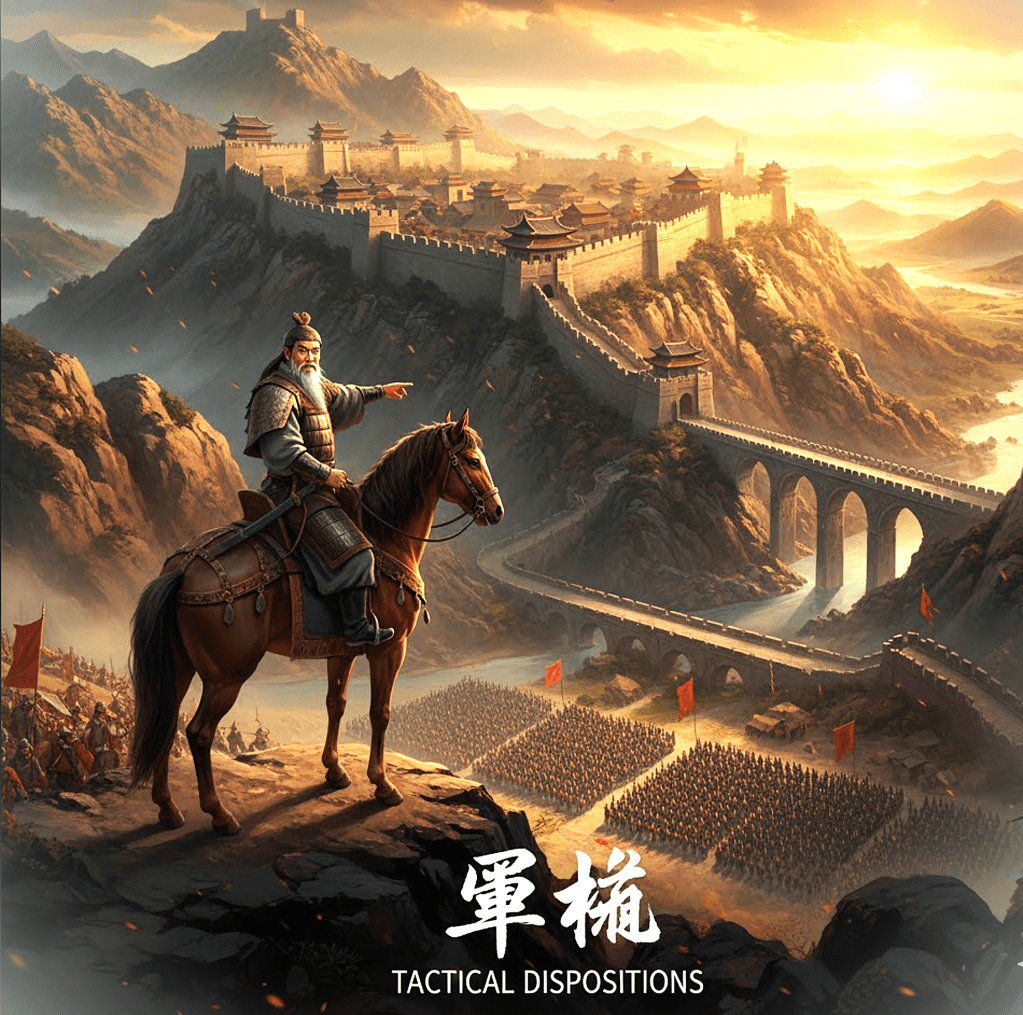
The Principles: “The good fighters of old first put themselves beyond the possibility of defeat, and then waited for an opportunity of defeating the enemy.”
“Thus it is that in war the victorious strategist only seeks battle after the victory has been secured, whereas he who is destined to be defeated, first fights, and afterwards looks for victory.” —Sun Tzu
Every data breach, foreign conflict, and policy error typically originates from an action taken without adequate prior positioning.
There is a common tendency to conflate activity with progress. Sun Tzu recognized that true invincibility is rooted in defense, while the opportunity for victory depends on the adversary.
In contemporary terms, this concept is referred to as defensive posture: the disciplined practice of preparation prior to visibility.
Defensive Positions
Effective cybersecurity teams secure their positions well in advance of any actual test. They maintain comprehensive awareness of data locations, access privileges, and the criticality of various systems. Such teams implement patches discreetly, monitor systems consistently, and design infrastructures to recover from failures rather than assuming failures will not occur.
That’s tactical disposition:
Enforcing least privilege to build resilience.
Applying timely patching to keep critical systems protected.
Building backups as integrated mechanisms for redundancy and recovery.
Running tabletop exercises to rehearse scenarios that organizations hope never occur.
This often-invisible work may appear inconsequential until it proves essential in critical moments.
When Nations Forget the Same Lesson
Historical evidence indicates that both nations and organizations seldom pause sufficiently to engage in strategic reflection.
Nations often amass extensive arsenals, initiate large-scale programs, and extend supply lines to project strength. However, when strength is dispersed excessively, it transforms into fragility, a phenomenon known as overreach. Overreach fundamentally undermines resilience.
The United States has frequently responded to perceived threats with disproportionate measures, conflating activity with effective strategy and reallocating resources without a long-term perspective. Engagements in wars and alliances often occur more rapidly than preparations for their potential consequences.
The consequences include wasted resources, public fatigue, and strategic exhaustion. All of which contribute to diminished geopolitical and geostrategic self-awareness.
According to Sun Tzu, achieving invincibility does not involve amassing weapons, engaging in unnecessary interventions, or imposing ineffective sanctions. Instead, it requires constructing economic, digital, and diplomatic systems capable of absorbing shocks while maintaining integrity. A resilient nation need not swing at every shadow.
Resource Stewardship
Cybersecurity is frequently perceived as a process of continual escalation, characterized by the addition of more tools, dashboards, and alerts.
However, each new platform introduces additional complexity, which in turn creates new potential attack surfaces.
Effective security practices may require declining adoption of the latest technologies and decommissioning unnecessary systems to simplify complex environments.
As Bruce Lee once said “I fear not the man who has practiced 10,000 kicks once, but I fear the man who has practiced one kick 10,000 times.”
Simplifying operations enables organizations to concentrate on mastering essential tools, particularly when resources are limited. The principles of simplicity, directness, and economy of motion are fundamental to effective practice.
Our government should also learn to exercise the same restraint. Faithful stewardship isn’t constant investment in everything; it’s a deliberate focus on what matters most.
This approach exemplifies strategic minimalism, which emphasizes the optimal utilization of public resources and, ultimately, enriches us all by conserving precious and limited resources.
Similarly, as America’s original Foreign Policy was initially articulated by John Quincy Adams on July 4th, 1821:
[America]…goes not abroad, in search of monsters to destroy. She is the well-wisher to the freedom and independence of all.
She is the champion and vindicator only of her own.
She will commend the general cause by the countenance of her voice, and the benignant sympathy of her example.
She well knows that by once enlisting under other banners than her own, were they even the banners of foreign independence,
She would involve herself beyond the power of extrication, in all the wars of interest and intrigue, of individual avarice, envy, and ambition, which assume the colors and usurp the standard of freedom.
The fundamental maxims of her policy would insensibly change from liberty to force… She might become the dictatress of the world. She would be no longer the ruler of her own spirit…
[America’s] glory is not dominion, but liberty. Her march is the march of the mind. She has a spear and a shield: but the motto upon her shield is, Freedom, Independence, Peace. This has been her Declaration: this has been, as far as her necessary intercourse with the rest of mankind would permit, her practice.
This practical wisdom may appear boring. However, organizations and governments alike must identify their assets, maintain them, and protect only what can be effectively defended. Continuous review, revision, and updates are fundamental.
The Cost of Perpetual Readiness
Sun Tzu cautioned that armies maintained in the field for extended periods deplete their own strength. Contemporary parallels include budgets exhausted by perpetual emergencies and professionals experiencing burnout due to continuous false positives.
The solution lies in cultivating a well-developed security posture rather than succumbing to ongoing panic and overreaction.
Organizations should prepare comprehensively, rest intentionally, and engage only when strategically necessary.
This sequence, prioritizing defense before offense and clarity before action, establishes the resilience that many organizations seek.
Learning From Tactical Blindness
Security breaches frequently result from overlooked fundamentals, such as unpatched systems, insufficiently trained users, and unreviewed alerts.
Similarly, the escalation of wars or crises is often attributable to unexamined assumptions. Both scenarios arise from neglecting the primary principle of tactical disposition: understanding one’s position before determining a course of action.
Modern Application
In cybersecurity: organizations should implement defense-in-depth strategies, automate routine checks, and prioritize cultivating awareness rather than fear. Emphasizing culture over blame.
In governance: it is essential to align objectives with available capacity, critically assess the true cost of each commitment, and recognize that restraint can be the most strategic option.
This parallel represents a recurring pattern rather than a mere metaphor.
Practitioner’s Questions To Ask Yourself:
Am I defending by hope instead of design?
Which tools add noise without adding clarity?
What assumptions have gone unchallenged for too long?
Where has “doing more” replaced “preparing better”?
Final Reflection
While invincibility is not the explicit objective, it is often the understated result of an effective security architecture. Complete protection cannot be guaranteed. However, it can be achieved through patience and persistence. Although this approach may lack glamour, in the ongoing struggle to maintain tactical disposition, it remains essential.
Sun Tzu’s good fighter was never reckless, never idle. He shaped his defenses so well that the enemy’s attacks lost meaning.
Nations and security architects should adopt similar practices. Consistently apply the principles of tactical disposition, exercise prudent stewardship of public resources, and cultivate strength, resilience, and wisdom.
The objective is not to engage in conflict frequently, but to do so only when absolutely necessary. Making it essential to fully understand and apply this story’s principles:
“The good fighters of old first put themselves beyond the possibility of defeat, and then waited for an opportunity of defeating the enemy.”
“Thus it is that in war the victorious strategist only seeks battle after the victory has been secured, whereas he who is destined to be defeated, first fights, and afterwards looks for victory.”
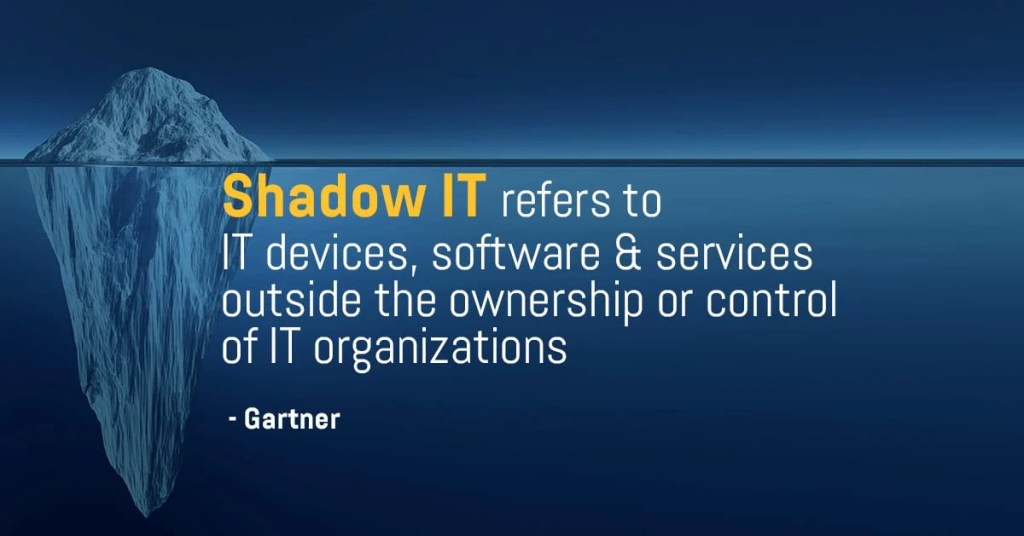
You’re trying to get something simple done, but the company’s “official” tool takes six steps and two approvals just to open a project. So, you find a better one, quicker, cleaner, easier.
Maybe it’s a shared Google Sheet, a new messaging app, or some AI productivity tool that actually works. It saves you time, gets results, and honestly, no one seems to mind.
That is, until someone finally notices.
That’s Shadow IT, the silent, well-intentioned workaround that slowly turns into a security liability.
The issue isn’t carelessness; it’s the drive for efficiency.
The Anatomy of Shadow IT and How It Slips Through
Shadow IT doesn’t begin as an act of rebellion. It starts as a way to get things done.
Teams feel pressure, tools are slow, and company processes can’t keep up. So, someone tries a new tool that bends the rules, just for this one time.
That quick fix gets shared with others and soon becomes the usual way of doing this.
Before long, company data is moving through several tools that no one has officially approved:
Free cloud drives with no encryption.
Personal accounts are used for client data.
Messaging platforms without audit trails.
Chrome extensions quietly sync user info to external servers.
It’s not done out of malice; it’s just human nature. People pick what helps them get the job done. But each time we choose convenience over control, we lose sight of what’s happening.
Why Good People Go Rogue
Most shadow IT isn’t about breaking rules. It’s about finding better ways to work.
People want to do their jobs well. When approved systems slow them down, they look for alternatives. This creativity isn’t careless, but it can still be risky.
Most people don’t focus on compliance when facing a tight deadline. They focus on getting results.
Here’s the problem: attackers know this. They rely on busy teams taking shortcuts, creating unmonitored accounts, or storing data in places that go unnoticed.
Shadow IT doesn’t look like rule-breaking. It looks like taking initiative.
When Visibility Vanishes
Each unapproved app creates another potential risk.
Security teams can’t track data, fix vulnerabilities, or control access. Soon, they may not even know what needs protection.
If something goes wrong, you can’t protect what you can’t see. A hacked third-party app or a compromised account can quietly put the whole system at risk.
Shadow IT isn’t a single big mistake. It’s many small, hidden problems. By the time someone notices, it’s often too late to trace the cause.
Balance Control with Capability
The solution isn’t to make things stricter. It’s to make official tools easier to use.
Security should support people in their actual work, not just follow what policy says.
Here’s what helps:
Simplify the approved stack. If it’s painful to use, it’s already compromised.
Create a “request to innovate” process. Let employees suggest tools safely.
Shadow IT discovery audits. Not witch hunts — open conversations.
Default to transparency. Make it normal to say, “I’m testing this app” without fear.
The aim is partnership, not strict control. If security punishes creativity, people will just hide what they’re doing. Problems will still find a way through.
Building Trust Around Tools
You can’t get rid of Shadow IT by being strict. The only way is to build trust instead of secrecy.
If people think speaking up will get them in trouble, they’ll stay silent. But if they see it as a chance to work together, you’ll know what’s really happening.
The best workplaces see curiosity as a strength, not a risk. Security and innovation aren’t enemies; they work together toward the same goal.
Final Thought
Shadow IT isn’t caused by bad people. It happens when good intentions don’t fit with strict systems. For security to keep up with creativity, it needs to act as a guide, not just a gatekeeper.
That’s not being pessimistic. That’s reality and an opportunity to get better, together.
The principle: If you know the enemy and know yourself, you need not fear the result of a hundred battles. Sun Tzu – Chapter III
Strategy vs. Stratagem
A strategy is designed for longevity, while a stratagem addresses immediate challenges. Strategy anticipates years ahead to foster resilience. Stratagem focuses on the next breach, exploit, or distraction.
Within cybersecurity, strategy encompasses architectural design, layered controls, validated incident response plans, and a culture prepared to act decisively during crises. Stratagem represents the attacker’s tools, such as persuasive emails, covert code injections, or precisely timed physical penetration tests.
Both approaches are powerful, yet each possesses inherent limitations.
The Modern Battlefield: Fluid and Fractured
The threat landscape evolves continuously. Traditional boundaries are replaced by cloud environments, API vulnerabilities, and interconnected third-party networks. Security architects must prioritize adaptability and fluidity over static defenses to effectively mitigate risks.
Zero Trust principles, continuous validation, and integrated security practices throughout the development lifecycle enable proactive identification and mitigation of vulnerabilities prior to production deployment. In an environment where compromise is presumed and rapid response is critical, these measures are indispensable.
Effective defenders adopt a proactive stance. They anticipate adversary actions, analyze behavioral patterns, and design systems to adapt under attack rather than fail.
Attack by Stratagem: The Psychology of Exploitation
Major breaches often originate through psychological manipulation rather than technical flaws. Techniques such as phishing, vishing, and deepfakes exploit cognitive vulnerabilities to diminish user awareness. This approach mirrors historical propaganda methods, where controlling perception leads to controlling behavior.
While governments previously leveraged headlines and radio broadcasts, contemporary attackers exploit digital interfaces such as login pages and hyperlinks. Both strategies depend on user fatigue, habitual behavior, and misplaced trust. If users believe a fraudulent login page is legitimate, they inadvertently compromise security.
Similarly, if citizens equate fear with patriotism, they may relinquish critical judgment in favor of perceived safety. As Ben Franklin observed, individuals who prioritize temporary safety over essential liberty may ultimately forfeit both: “Those who would give up essential Liberty, to purchase a little temporary Safety, deserve neither Liberty nor Safety.“
This tactic operates effectively across a spectrum, from individual email inboxes to broader ideological movements.
The Architecture of Awareness
A resilient security architecture reflects the characteristics of an aware and vigilant mindset.
Network segmentation limits the blast radius. Application hardening predicts misuse before it happens.
Firewalls and Security Information and Event Management (SIEM) systems provide the critical, irreplaceable resource of time.
Knowing your environment is knowing yourself.
Without a thorough understanding of all dependencies, exposures, and behavioral patterns, it is impossible to detect significant changes or anomalies. The same principle applies at the national level: when societies cease to critically evaluate their narratives, division and deception proliferate with ease.
Propaganda Built Into the Code
James Montgomery Flagg, I Want You for U.S. Army, 1917, collection of Chip and Carrie Robertson, photo by Robert Wedemeyer
From Woodrow Wilson’s Committee on Public Information to the televised theater of Desert Storm, America learned how framing shapes belief.
Attackers apply similar principles, constructing their deceptive tactics by exploiting established trust.
Deceptive login pages replicate corporate portals, ransomware communications adopt professional language, and deepfakes are crafted to appear and sound authentic.
The primary threat is not the attack itself, but the absence of awareness regarding potential dangers. Stratagem prevails when critical scrutiny is abandoned.
Reverse Engineering the Present
Post-incident analyses consistently reveal that warning signals were present before breaches. Although alerts, logs, and telemetry data were available, they did not translate into actionable understanding.
Visibility does not equate to genuine situational awareness.
Historical events reinforce this observation.
The United States has engaged in conflicts based on incomplete or inaccurate information, often mistaking perception for certainty.
In both cybersecurity and geopolitics, failure frequently results from conflating raw data with meaningful insight.
Understanding adversaries requires effective intelligence gathering, including threat hunting, reconnaissance, and red-team exercises.
Self-awareness in cybersecurity necessitates discipline, such as maintaining asset visibility, ensuring policy integrity, and sustaining composure during operations.
A deficiency in either area enables adversarial stratagems to succeed.
The Quiet Defense
The most robust networks, analogous to resilient individuals, operate discreetly. They do not engage in ostentatious displays; instead, they maintain a constant state of preparedness.
Their resilience is embedded within their structural design rather than expressed through rhetoric.
Authentic resilience does not stem from more active dashboards or faster technical tools. Resilience is rooted in organizational culture, situational awareness, and a humble approach. It is defined by the ability to learn, adapt, and respond more rapidly than emerging threats.
Cybersecurity, akin to statecraft, is a continuous endeavor to prevent breaches. Success is achieved not by engaging in every conflict, but by anticipating and neutralizing threats before they materialize, thereby securing victory without ever having to fight. Bringing us full circle back to understanding the fundamental nature of the original principle: If you know the enemy and know yourself, you need not fear the result of a hundred battles.
Grammarly sent me a little “you might have a problem” email earlier this week.
Apparently, I’ve written over 900,000 words in the last five weeks. They claim it’s more than 99% of users, with more unique words than 99% of them too. I don’t know how that’s true, but I definitely have been writing a lot lately. I had no idea it was even close to that much.
It’s both kind of cool and kind of hilarious. Why? Because it wasn’t part of a strategy, a streak, or even a goal. It just came from putting in the writing reps. One sentence, one section, and one page at a time.
I’d love to say it’s all poetry and brilliance. But it’s hardly that. It’s been mostly retelling of long hours coaching, martial and security strategies and the kind of sentences that get rewritten three or four times before they sound right.
Still, I’ll take it.
Some of it’s for the book. Some of its old stories I’m finally writing down. Some of it’s heart-wrenching, some of it’s about training, traveling, coaching, fighting, or just trying to make sense of the thoughts that appear between deadlifts, dog walks, deep in the mountains or just walking into the office.
It reminded me of something George Washington once said:
“To be prepared for war is one of the most effective means of preserving peace.”
Sometimes the work is the preparation. And sometimes the work is the peace. Not trying to be prolific, just consistent.
Keeping the standard high, even when no one’s watching.
So, here’s to showing up, stringing some stories together, and hoping at least a few of them land where they’re supposed to.
The Myth of the Harmless Click It’s late on a Friday afternoon. You’ve taken back-to-back phone calls, your inbox is overflowing, and your caffeine is slowly but surely fading. Then comes one last email. It’s something from HR about a new hire policy update.
You click, skim, and move on.
Five minutes later, that “harmless” click starts a slow-motion domino fall. Credentials harvested, tokens stolen, access expanding, all before you’ve even closed your laptop.
People think, “It was just one click.” That’s the point. It only ever takes one.
The Domino Effect Here’s what happens after that moment most people never see.
That fake login page doesn’t just steal your password, it grabs your session cookies, mimics your device fingerprint, and jumps the line of trust. Suddenly, it’s you logging in from a new location, sending a file, approving an invoice.
Once inside, attackers don’t move fast. They move quietly. They study your company like a playbook, structure, tone, and approval chains. The next email they send looks even more real because it’s built with your real data.
By the time anyone notices, the damage has often been done for days.
But why do we fall for it? The answer isn’t carelessness—it’s psychology.
The Psychology of the Click No one falls for this because they’re careless. They fall because they’re human.
Attackers know when we don’t double-check: near quitting time, maybe when you’re experiencing that post-lunch carb crash, or when you’re in a rush to make that 9am meeting. All of those moments when we see what we expect to see. They don’t need to hack your brain, they simply nudge it the right way.
Speed, familiarity, and trust are their sharpest weapons, which is why “training” alone doesn’t solve the problem. Awareness isn’t a habit. The mind knows better, but the hand clicks first.
How Attackers Exploit Normalcy Modern phishing doesn’t seem sketchy; it seems routine.
They copy internal phrasing, familiar names, work to perfect internal branding. The trick isn’t panic anymore, it’s comfort and familiarity.
Common triggers:
“Quick update before the weekend.”
“Need approval by end of day” or “close of business.”
“Can you confirm this invoice?”
Nothing dramatic. That’s the point. The hook isn’t fear, it’s familiarity.
How to Build a Click Buffer You can’t eliminate every threat, but you can slow the chain reaction.
Build a Click Buffer. Think of it as a two-second pause that keeps good habits automatic:
Hover before you click. Make it reflex.
Check the sender domain. If it looks almost right, it’s wrong.
Stop treating “urgent” as a priority. Urgency is a tactic, not truth.
Ask IT. They’d rather you check 100 false alarms than clean up one breach.
A brief pause can equal a big payoff. Security starts with seconds, not software.
Culture Over Blame Here’s where most companies stumble: they turn mistakes into shame. Someone clicks a bad link, and suddenly they’re the subject of the next slide in “staff security awareness training.”
That doesn’t build security, it builds silence.
A healthy culture rewards curiosity. If people feel safe saying, “Hey, I think I messed up,” the damage stops faster, every time.
You can’t stop every click. However, you can build a team that identifies, shares, and learns from mistakes before they spiral out of control.
Final Thought The real security upgrade isn’t another tool or rule to apply, it’s simply learning to breathe and take a little extra time to pause before you click.
One breath before the click. One second to hover over the link.
One habit that keeps the rest intact.
That’s not fearmongering.
That’s just good hygiene.
If you found this helpful, please share it with your team or reflect on your own scanning and clicking habits. Security is a team effort and every small pause makes a difference.
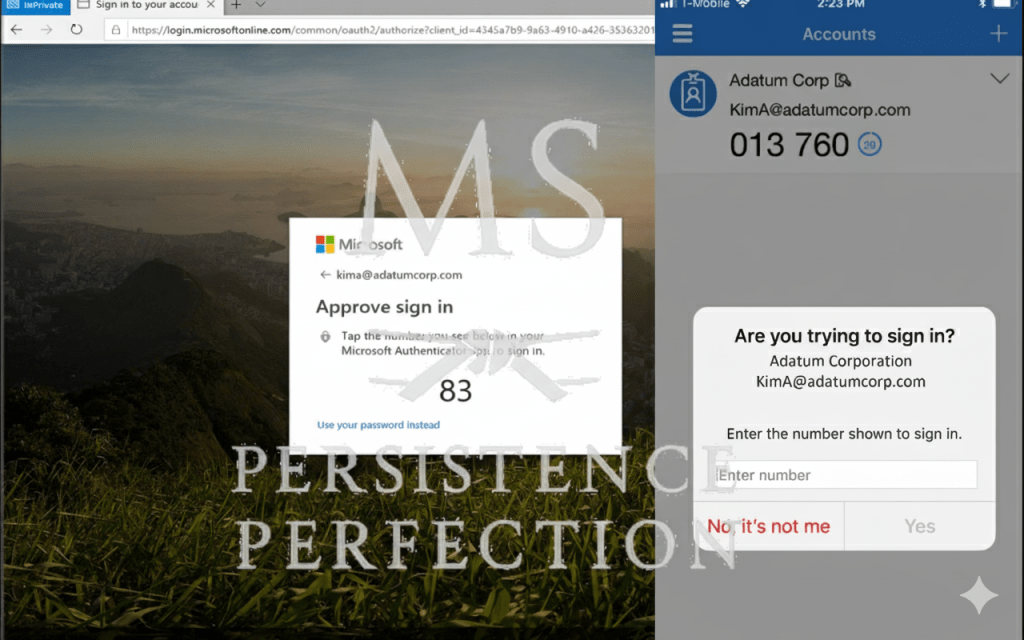
In cybersecurity, we get excited about new technologies like AI, zero trust, and quantum encryption. But ask any practitioner what quietly stops the most breaches day to day? It’s still MFA.
Multi-Factor Authentication may not be exciting. It can slow people down and sometimes feels awkward. Even so, it remains one of the best ways to stop credential theft, which is the most common way attackers get into any network.
Why MFA Matters
• Passwords are weak. People reuse them across accounts, attackers buy them on the dark web, and “123456” still shows up in breach data. • Phishing is effective. Users still click links and enter credentials. MFA blocks stolen passwords from being enough. • Attacks are automated. Bots hammer login pages at scale. MFA breaks that automation by forcing a second factor.
Despite everything we know, MFA is still the easiest and most effective step in cyber defense. It often makes the difference between stopping an incident and having to respond to one.
The Pushback Problem
When we first rolled out MFA our district, the resistance was loud.
“It’s annoying.” “It slows us down.” “We don’t have time for that.” “Why do I need this if I’m just checking email?”
At first, security changes can feel like a big hassle for everyone, whether you’re a teacher, technician, or leader. But a few seconds of extra effort can save us from days or even weeks of problems.
To make sure everyone accepted MFA, we took our time and built support step by step:
• Continuous staff education. Regular updates explained the “why” behind MFA, not just the “how.” • Knowledge-base articles gave our help desk a clear playbook, no scrambling when someone was locked out or confused. • Anticipating questions became part of the rollout strategy. From custodians logging into shared workstations to the superintendent approving district-wide communications, everyone got personalized guidance.
We kept the message clear: MFA is not a burden. It’s part of how we protect our entire staff and precious student PII, and PHI data. We aways have to remain FERPA, COPPA, CIPA, and PPRA compliant.
Over time, the complaints faded. Now, using MFA is second nature. It’s simply part of our routine.
The Fix
• Enforce MFA on all critical systems. • Use phishing-resistant methods (authenticator apps, hardware keys) and worst-case scenario SMS. • Train users that a few extra seconds of friction is the cost of resilience.
The Parallel
Using MFA is similar to wrapping your hands before boxing. It might seem tedious when you’re just getting started, but it protects you. If you skip it once, you might be fine, but skip it again, and you risk real trouble.
Security, like weightlifting, CrossFit, martial arts or meal prep it works best when the basics become instinct.
Again, MFA is boring. But, it’s also one of the most powerful shields you have.
The principle: All warfare is based on deception. —Sun Tzu
In warfare, there’s a certain irony in how often truth becomes a casualty before the first shot is ever fired. As an American, that line from The Art of War has always carried extra weight. Our history is full of moments when deception wasn’t just a tactic on the battlefield; it was the spark that lit the fuse.
From the smoke and mirrors of the Spanish-American War to the Gulf of Tonkin and the blurred motives of the Gulf Wars and the Global War on Terrorism, we’ve seen how perception shapes permission. Wars don’t always start because one side is stronger; they start because one story feels true enough to believe.
And since “All warfare is based on deception,” Sun Tzu went on to say:
When you’re able to attack, you must appear unable. When using our forces, we must seem inactive. When we are near, we must make the enemy believe we are far away. When we’re far away, we must make him believe we are nearby.
We must hold out bait to entice the enemy and then crush him. If he is superior in strength, evade him. If your opponent is overconfident in nature, seek to provoke him. Pretend to be weak, so that he may grow arrogant and attack when he otherwise wouldn’t. Attack him where he is unprepared, appear where you are not expected. If he is trying to take rest and recover, give him no rest. If his forces are united, divide them.
The general who loses a battle has made only a few calculations beforehand. Thus, many calculations lead to victory, and making only a few calculations ensures defeat. By paying attention to these points, I can foresee who is likely to win or lose.
Deception as Strategy
The principles articulated by Sun Tzu extend beyond the battlefield to broader strategic contexts. His observations highlight the value of misdirection for leaders and strategists. The objective is not to create disorder, but to control perception and attention. In both conventional warfare and digital security, success frequently depends on understanding the adversary’s perception of reality. This principle underpins the effectiveness and prevalence of social engineering tactics.
Contemporary deception strategies have shifted focus from traditional military maneuvers to achieving information dominance. Modern tools include manipulated narratives, deepfakes, phishing campaigns, propaganda, and misinformation. These methods target cognitive processes rather than physical harm. Once individuals accept misinformation as truth, further manipulation becomes significantly easier. The Committee on Public Information, the United States’ World War I propaganda agency, exemplifies institutionalized information control.
Cybersecurity’s Ethical Deception
In cybersecurity, deception is employed with the intent to enhance defense mechanisms. Techniques such as honeypots attract attackers, sandbox environments facilitate malware analysis, and red team exercises simulate adversarial tactics to maintain robust security postures.
In this context, deception functions as a defensive measure rather than an offensive tool. It is utilized to identify vulnerabilities rather than to exploit them. The underlying principle that can mislead a nation may, when applied ethically, serve to protect it. The distinction lies in the intent: defense and awareness as opposed to manipulation and illusion.
Both approaches depend on psychological insight and require strategic foresight. However, only defensive deception is fundamentally grounded in ethical integrity.
The Martial Mirror
Martial artists understand deception in its purest, most physical form. A feint isn’t a lie, it’s a question. In Wing Chun, they’re called “asking hands.” You draw your opponent’s attention, focus and/or movement one way to reveal where they’re vulnerable. The best fighters aren’t those who hide, but those who read intent faster than it’s shown. It’s why attacks on the halfbeat are so effective. But, that’s a lesson for another time.
Cybersecurity employs similar principles. Confrontation is not always optimal; instead, threats are redirected, absorbed, or neutralized preemptively. The discipline emphasizes anticipating patterns before they fully emerge, rather than merely reacting. This approach is often described as the art of fighting without fighting.
The Modern Maxim
“Deception reveals more than it hides, it shows what we most want others to believe.”
In this context, each act of deception simultaneously reveals underlying motives, strategies, and tactics.
For those responsible for safeguarding systems, individuals, or factual accuracy, the task often begins where clarity diminishes. The primary challenge is not to eliminate deception entirely, but to recognize and understand it without compromising ethical standards.
The initial action in any conflict, whether digital, physical, or psychological, is seldom a direct attack; it is often the creation of a narrative to tell. The essential responsibility is to accurately identify threats based on objective analysis, rather than relying solely on presented information. Illustrating the everlasting importance of learning the principle of this story:All warfare is based on deception.
Fuel isn’t just for training — it’s for thinking, building, and recovering.
Athletes already know this truth: you don’t get stronger in the gym, you get stronger in recovery. Stress plus rest equals growth. Skip the rest, and all you get is breakdown.
In cybersecurity, it’s easy to forget this lesson. After long nights, incident responses, or big migrations, teams often jump straight into the next job. But recovery isn’t a luxury, it’s the bridge between surviving and improving. Without it, you just accumulate fatigue disguised as progress.
The Cost of Skipping Recovery
Burnout: tired minds make risky calls. Missed lessons: incidents get fixed, but are never studied. Fragility: systems stay brittle when they’re never given a chance to adapt.
Building Real Recovery
Post-incident reviews. Treat them like an athlete breaking down game tape, where the real learning happens.
Plan real downtime. Make sure everyone gets real rest after major efforts. Feeling worn out doesn’t show you care more; it’s a sign you need to pause.
Iterative improvement. Apply what you learned before running the next drill. Reflection without action is just rest, not improvement.
Fuel and Recovery: The Overlooked Half
Physical recovery doesn’t stop at rest. It’s also about what you put in your body. Meal prep isn’t about looking good; it’s about making sure you can keep going. Drinking enough water, eating real food, and keeping your energy steady (and your blood levels in check) all week isn’t about following a trend. It’s about having the strength to do your job well.
You can’t think clearly or respond quickly if your system’s running on fumes. Whether you’re training or troubleshooting, energy is uptime.
A rule I’ve used for years: “We eat well today for optimal performance tomorrow.” That mindset changes how you plan your day, not just for food, but for everything else as well. Every decision contributes to tomorrow’s success.
When you build those habits, you stop depending on motivation to show up. Discipline becomes your safety net.
The Mindset Connection
In martial arts, you learn to reset between rounds. In strength training, deload weeks are built in by design. Cybersecurity should be no different. We don’t just patch systems; we maintain the people running them.
Recovery isn’t the end of work, it’s part of the work.
Five weeks ago, I pulled a 41.3-second 250 meter row. Today, I hit 40.2. Just over a second faster.
Most wouldn’t notice the difference, but if you’ve ever chased improvement in anything, lifting, rowing, writing, or career-related, you know what that second really means.
It’s not one test. It’s everything between the test and the retest.
Early mornings. Late nights. Lifting after focusing on a screen all day, securing cloud configs, writing incident reports, and drafting security policies. Endless meetings, collaborating with stakeholders, or staying disciplined enough to meal prep when convenience is whispering your name.
The first test showed where I was. The weeks that followed demonstrated what I was willing to do to get a little bit better every day.
That one second didn’t come from luck. It came from honesty. From taking stock of where my form slipped when fatigue hit, where breathing got shallow, where my leg drive gave too early, and where comfort started whispering, “Hey man, you’ve done enough.”
It came from the same place real growth always hides: the re-tests, not the first runs. Every domain follows the same law: test, learn, refine, retest. That’s how systems harden. That’s how people do, too.
The next time you test something, whether it’s a lift, a sprint, IAM permissions, or a personal limit, remember this: progress rarely looks dramatic as it happens. It might seem minor, but the one second I cut over five weeks shows the value of steady effort. Others might have said, “Hey man, that 41.3 is pretty damn good for a man your age.” For me, that will never be enough.
What “the science” says:
Power output was 673 Watts
VO2 Max is 68.5 ml/kg/min
Faster than 95% of male rowers your age
89% faster than all male rowers
No matter what, 41.3 → 40.2 is proof that attention to detail and small improvements over time are earned, never issued, and that’s the real story.










 Matt Shannon, Security Pro