Security Without the Pessimism | Capstone: The Human Architecture of Resilience

There’s a moment in every incident, and in every life, when things go sideways.
An urgent alert comes in at 2 a.m.
The phone buzzes with something you didn’t want to see.
The room suddenly feels smaller.
Your pulse skyrockets ahead of your ability to reason.

That’s the pivot point.

Not the breach, not the threat actor, not the malware strain. The moment your mind decides whether to rush, freeze, or breathe.

And if the past two decades in cybersecurity have taught us anything, it’s this: The most overlooked control isn’t technical at all — it’s the ability to think clearly under pressure.

You can build the best firewall on earth, layer your identity stack, and lock down every endpoint within reach. But if the wrong person panics at the wrong moment? Your architecture won’t crumble, but your response will.

And the irony is that the same pattern shows up everywhere.
In the gym.
In martial arts.
In American foreign policy across multiple generations.
In corporate culture.
In our personal lives.

Technology changes. Tools evolve.
But human behavior remains the battlefield.

This capstone is about that battlefield, the one beneath all the dashboards and diagrams.
The human architecture of resilience.

Not fear.
Not pessimism.
Not endless warnings.
Just clarity, culture, awareness, and depth.

I. The Calm Before the Click: Thinking Clearly Under Pressure

Cybersecurity professionals often discuss “root cause.”
The CVE.
The misconfig.
The missing patch.
The malicious link.

But if you trace incidents far enough back, you rarely find a purely technical failure.
You find someone who was tired.
Someone who rushed.
Someone is overloaded with tasks, tabs, or alerts.
Someone who clicked before the mind caught up.

Attackers have known this longer than we have.
Social engineering is, at its core, the psychological equivalent of an ambush.
It doesn’t rely on brilliance — it relies on rhythm.
Interrupt someone’s rhythm, and you can make them do almost anything.

History played the same game long before phishing emails existed.

During WWI, the U.S. population had no appetite for a European conflict until the Committee on Public Information mastered message engineering on a national scale.

During Vietnam, selective narratives were used to anchor the Gulf of Tonkin resolution, one of the clearest examples of how urgency overrides discernment.

After 9/11, emotional exhaustion and fear gave the green light to decisions that would shape two decades of conflict, including the push toward Iraq in 2003 on intelligence the government already knew was questionable at best.

The pattern is timeless: pressure → perception drops → people accept what they would normally question.

In cybersecurity, that’s the moment a breach begins. Not when the payload deploys, but the moment someone stops breathing long enough to see clearly.

Martial arts teach this early: when your structure collapses, so does your mind. The fight is rarely won by the strongest, but by the one who stays calm.

Cybersecurity isn’t so different. We need quieter minds, not louder alarms. Consider the Apollo 13 mission: when an oxygen tank exploded in space, it wasn’t advanced technology alone that saved the crew—it was the unwavering composure, clear communication, and problem-solving focus of both astronauts and mission control. Their story remains a testament to the power of preparation, training, and the human spirit under pressure.

Psychological research supports this need for balance: the Yerkes-Dodson Law demonstrates that while a certain level of stress can sharpen performance, too much leads to mistakes and paralysis. It’s not the loudest alarms or the highest stress that produce the best outcomes, but the ability to operate with steady focus under pressure.

II. Security Isn’t a Toolset. It’s a Culture.

This is the part vendors never put in their brochures.
Tools matter, of course they do, but they’re not the foundation.
If a team’s culture is fractured, fearful, or fatigued, the best tool becomes another dashboard no one trusts.

A culture of security is built on three traits: Curiosity. Communication. Psychological safety.

Curiosity is the click buffer. It’s the pause before the action. It’s the “does this feel right?” instinct that catches what technology misses.

Communication is the force multiplier. If people don’t feel comfortable asking questions, you don’t have a security program; you have a façade. The worst breaches happen in organizations where employees believe that reporting something suspicious will get them punished.

Psychological safety is the foundation beneath it all. You cannot build defense through fear.
If people feel judged, they go silent. And silence is where threat actors win.

Across American history, the same dynamic appears at scale. Governments that relied on controlling the narrative rather than fostering transparency created long-term instability.
Nations that punished dissent instead of listening to it made poorer decisions, walked into unnecessary conflicts, or ignored early warnings because no one felt safe raising them.

In cybersecurity, the equivalent is leadership that says: “If you click a bad link, come to us immediately, you’re part of the solution, not the problem.”

Culture isn’t a policy. Culture is what happens when no one is watching.

III. The Invisible Threat: Complacency

Complacency is the enemy that feels like a friend. It arrives quietly. It shows up after long stretches of “nothing happened.” It hides behind phrases like:

  • “We’ve never had an incident.”
  • “We’ve always done it this way.”
  • “Our tools would catch that.”

Every major breach you can name—SolarWinds, Equifax, Colonial Pipeline—roots itself in complacency somewhere: A missed update. An over-trusted vendor. An assumption that the environment was safer than it actually was. The 2013 Target data breach is a sobering example: multiple security alarms were triggered, but critical warnings were overlooked amidst noise and unclear processes. The failure wasn’t just technical—it was cultural and human. True resilience is built not on more tools, but on clear communication, shared responsibility, and organizational discipline.

There’s a parallel here, too, in public psychology. Before WWI, the U.S. believed oceans protected it.

Before the Vietnam War, we believed that superior technology guaranteed strategic clarity.
Before 9/11, we believed asymmetrical warfare couldn’t reach our shores.
Before the Iraq invasion, many believed intelligence agencies couldn’t be wrong.

Every time, familiarity dulled skepticism. Certainty replaced awareness.

Threat actors exploit the same weakness in cybersecurity: When we stop questioning our own assumptions, we hand them the keys.

But the solution isn’t paranoia. It’s presence—the discipline to stay aware without fear, engaged without burning out, and to use quiet periods to strengthen fundamentals rather than relax them.

Martial artists call this “maintaining the white belt mentality.” It’s the idea that no matter how skilled you become, your awareness must remain humble. The strike you don’t see coming isn’t the strongest; it’s the one you assumed wouldn’t land.

IV. Defense in Depth Begins With Humans in Depth

Defense in depth is usually presented as a diagram: Layers. Controls. Policies. Logging. Detection.

But the deepest layer is always the human beings behind the console.

Humans who communicate clearly under pressure.
Humans who don’t panic.
Humans who collaborate instead of silo.
Humans who maintain integrity even when no one is watching.

You can’t automate those traits.
You can only cultivate them.

A resilient team has depth:
Depth of character.
Depth of discipline.
Depth of humility.
Depth of trust.

Leadership plays a massive role here.
A leader who panics creates a cascading failure.
A leader who hides incidents creates blind spots.
A leader who blames creates avoidance.

But a leader who stays calm?
A leader who listens?
A leader who respects the intelligence of their team?

That kind of leadership becomes its own security layer, the kind attackers can’t penetrate.

Martial philosophy applies here beautifully:
The master doesn’t fight everything.
The master knows when not to fight.
The master conserves energy, maintains structure, and remains sufficiently present to move precisely when needed.

That’s cybersecurity at its best. Not a flurry of tools or panic-driven responses. But steady awareness, grounded action, and a team that trusts itself. The response to the Stuxnet worm demonstrated the power of multidisciplinary collaboration: security researchers, government agencies, and private-sector teams worked together to analyze, share intelligence, and adapt rapidly. Their coordinated effort underscores that no single individual or technology has all the answers—resilience is a collective achievement.

V. The Four Pillars of Real Resilience

Looking back across this entire series, four fundamentals keep appearing.

1. Calm

The ability to breathe before acting. Security begins in the mind, not the machine.

2. Culture

Tools help. Culture protects. Culture catches what software can’t.

3. Awareness

Not paranoia, presence. The discipline to question, verify, and stay awake to the world around you.

4. Depth

Technical depth is valuable. Human depth is irreplaceable. Depth fuels resilience in every domain: networks, clouds, teams, and nations.

These aren’t pessimistic ideas. These are empowering ideas. They’re principles that make security feel less like fear and more like clarity.

Threat actors depend on confusion. They depend on fatigue. They depend on people who doubt their instincts.

A calm mind. A strong culture. A present awareness. A deep team.

That’s how you win. Not loudly, but with consistency.

VI. Final Thought: Security Is a Human Practice Before It’s a Technical One

If there’s a thesis to Security Without the Pessimism, it’s this:

Security isn’t something we bolt onto systems. It’s something we build into ourselves.

The work isn’t glamorous or cinematic. It’s often quiet, slow, and unrecognized.

But it matters, because every decision and moment of awareness contributes to something bigger than any one of us—a culture of resilience.

So here’s the takeaway: You don’t need pessimism to stay secure. You just need presence.
You need clarity and people who care enough to pause, communicate, and stay humble.

That’s the foundation of a safer digital world, built one calm, aware, disciplined human at a time.

Security Without the Skepticism: Password Managers – Modern-Day Trust Issues in a Zero-Trust World


Trusting the One Tool Rule Them All

Cybersecurity presents a paradox: we are taught to be wary of everyone online, yet we’re expected to trust one application with all our passwords.

That’s a BIG ask.

Password managers claim to offer both convenience and security. They eliminate the need for sticky notes, memory tricks, and risky repeated logins. Yet, handing over the credentials to your digital life may feel risky, as if you’re leaving your house key under someone else’s doormat.

Even people who are good with technology feel this hesitation. Trusting one place with everything can seem like putting all your eggs in one basket.

How Password Managers Actually Work

At their best, password managers create a secure vault for your passwords. This vault is protected by a master password that only you know.

They use zero-knowledge encryption, so even the company that stores your vault cannot see your data.

That’s how it’s supposed to work. In reality, people hesitate because of things like:

  • High-profile breaches (e.g., LastPass, 2022)
  • Syncing fears (“What if my vault gets intercepted?”)
  • Human error (“What if I forget my master password?”)

Even though the underlying technology is strong, public trust wavers each time a major breach is reported. People remember negative headlines more than encryption details.

Control vs. Convenience

Using a password manager isn’t just a technical choice; it’s also a psychological one.

Humans like to be in control, especially when it comes to security. We equate manual effort with safety. Typing passwords ourselves feels safer than letting software do it, even when we know the software is objectively smarter than we are.

However, for many, convenience ultimately prevails: after trying a password manager, the newfound ease often surpasses early distrust.

This dynamic shows that modern security requires balance: people want independence, but security improves with some delegation to trusted tools.

When Trust Breaks Down

No password manager is immune to risk, but relying on weaker alternatives such as reused passwords or predictable patterns leaves you even more vulnerable. Minimizing trust is about minimizing risk, not eliminating it.

If a vault provider is breached, attackers still face encryption. But if you reuse one password across five sites, there’s no barrier at all.

So, it’s less about trusting the tool absolutely, and more about managing where that trust sits:

  • Choose providers with open security audits.
  • Enable MFA on your vault.
  • Keep the master password offline, not saved, not synced.

The core issue isn’t the tool itself, but the risk of blind faith. Sometimes, people subconsciously seek blind faith from such tools.

Zero-Trust Starts with You

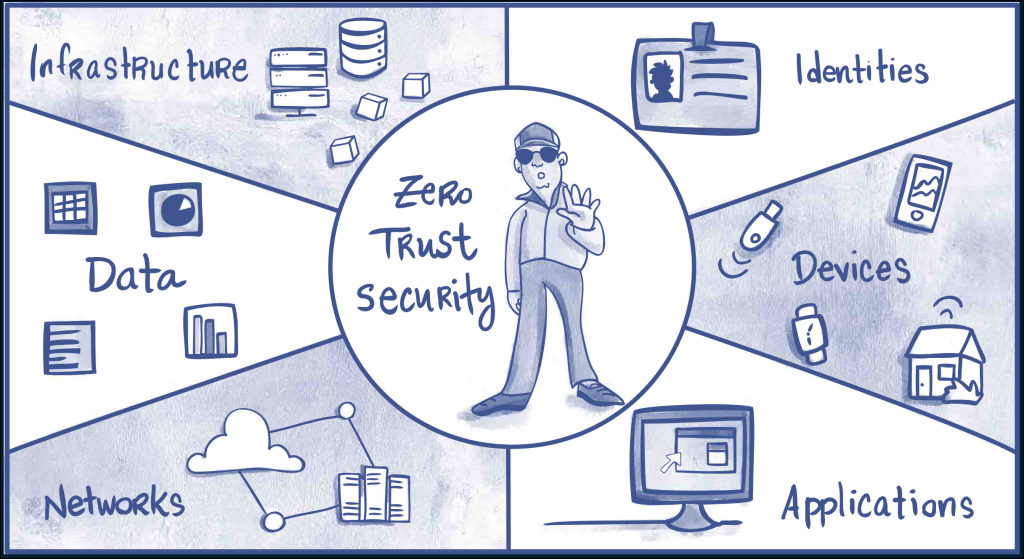
Zero-trust isn’t just a corporate buzzword; it’s a mindset. Assume every system can fail. Build layers so failures aren’t fatal.

For password managers, apply zero-trust this way:

  • Separate critical credentials (server logins, service accounts, etc.) from general logins.
  • Regularly export and back up encrypted copies to an offline location.
  • Keep MFA active everywhere.

Aim for persistence and resilience, not perfection.

Culture Over Blame

We often criticize people for using sticky notes, but we don’t always show them better ways.

Security maturity grows when using a password manager feels normal, not nerdy. Encourage colleagues and family to use them and to question them. Healthy skepticism keeps systems honest.

A culture of curiosity always beats compliance.

Final Thought

Zero-trust is about choosing where to place your trust, not avoiding it altogether. Good judgment is at the heart of modern security.

Password managers aren’t a magic fix. They’re just one important layer of security, and they work well if you stay alert.

In the end, good security comes from making careful, informed choices about trust, not just believing in technology without question.

That’s not being skeptical, that’s working to overcome modern-day trust issues in a zero-trust world.

Security Without Pessimism: Shadow IT – When Convenience Becomes a Security Risk

The Shortcut That Became the Standard

We’ve all done it.

You’re trying to get something simple done, but the company’s “official” tool takes six steps and two approvals just to open a project. So, you find a better one, quicker, cleaner, easier.

Maybe it’s a shared Google Sheet, a new messaging app, or some AI productivity tool that actually works. It saves you time, gets results, and honestly, no one seems to mind.

That is, until someone finally notices.

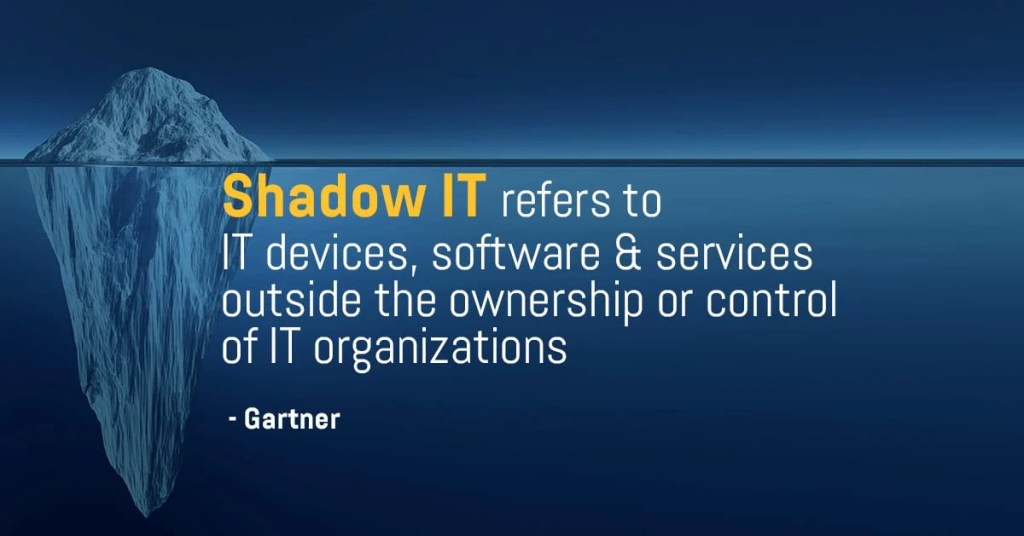
That’s Shadow IT, the silent, well-intentioned workaround that slowly turns into a security liability.

The issue isn’t carelessness; it’s the drive for efficiency.

The Anatomy of Shadow IT and How It Slips Through

Shadow IT doesn’t begin as an act of rebellion. It starts as a way to get things done.

Teams feel pressure, tools are slow, and company processes can’t keep up. So, someone tries a new tool that bends the rules, just for this one time.

That quick fix gets shared with others and soon becomes the usual way of doing this.

Before long, company data is moving through several tools that no one has officially approved:

  • Free cloud drives with no encryption.
  • Personal accounts are used for client data.
  • Messaging platforms without audit trails.
  • Chrome extensions quietly sync user info to external servers.

It’s not done out of malice; it’s just human nature. People pick what helps them get the job done. But each time we choose convenience over control, we lose sight of what’s happening.

Why Good People Go Rogue

Most shadow IT isn’t about breaking rules. It’s about finding better ways to work.

People want to do their jobs well. When approved systems slow them down, they look for alternatives. This creativity isn’t careless, but it can still be risky.

Most people don’t focus on compliance when facing a tight deadline. They focus on getting results.

Here’s the problem: attackers know this. They rely on busy teams taking shortcuts, creating unmonitored accounts, or storing data in places that go unnoticed.

Shadow IT doesn’t look like rule-breaking. It looks like taking initiative.

When Visibility Vanishes

Each unapproved app creates another potential risk.

Security teams can’t track data, fix vulnerabilities, or control access. Soon, they may not even know what needs protection.

If something goes wrong, you can’t protect what you can’t see. A hacked third-party app or a compromised account can quietly put the whole system at risk.

Shadow IT isn’t a single big mistake. It’s many small, hidden problems. By the time someone notices, it’s often too late to trace the cause.

Balance Control with Capability

The solution isn’t to make things stricter. It’s to make official tools easier to use.

Security should support people in their actual work, not just follow what policy says.

Here’s what helps:

  • Simplify the approved stack. If it’s painful to use, it’s already compromised.
  • Create a “request to innovate” process. Let employees suggest tools safely.
  • Shadow IT discovery audits. Not witch hunts — open conversations.
  • Default to transparency. Make it normal to say, “I’m testing this app” without fear.

The aim is partnership, not strict control. If security punishes creativity, people will just hide what they’re doing. Problems will still find a way through.

Building Trust Around Tools

You can’t get rid of Shadow IT by being strict. The only way is to build trust instead of secrecy.

If people think speaking up will get them in trouble, they’ll stay silent. But if they see it as a chance to work together, you’ll know what’s really happening.

The best workplaces see curiosity as a strength, not a risk. Security and innovation aren’t enemies; they work together toward the same goal.

Final Thought

Shadow IT isn’t caused by bad people. It happens when good intentions don’t fit with strict systems. For security to keep up with creativity, it needs to act as a guide, not just a gatekeeper.

That’s not being pessimistic. That’s reality and an opportunity to get better, together.

The Art of Cyberwar | Part I | The Illusion of Truth

The principle:
All warfare is based on deception. —Sun Tzu

In warfare, there’s a certain irony in how often truth becomes a casualty before the first shot is ever fired. As an American, that line from The Art of War has always carried extra weight. Our history is full of moments when deception wasn’t just a tactic on the battlefield; it was the spark that lit the fuse.

From the smoke and mirrors of the Spanish-American War to the Gulf of Tonkin and the blurred motives of the Gulf Wars and the Global War on Terrorism, we’ve seen how perception shapes permission. Wars don’t always start because one side is stronger; they start because one story feels true enough to believe.

And since “All warfare is based on deception,” Sun Tzu went on to say:

When you’re able to attack, you must appear unable. When using our forces, we must seem inactive. When we are near, we must make the enemy believe we are far away. When we’re far away, we must make him believe we are nearby.

We must hold out bait to entice the enemy and then crush him. If he is superior in strength, evade him. If your opponent is overconfident in nature, seek to provoke him. Pretend to be weak, so that he may grow arrogant and attack when he otherwise wouldn’t. Attack him where he is unprepared, appear where you are not expected. If he is trying to take rest and recover, give him no rest. If his forces are united, divide them.

The general who loses a battle has made only a few calculations beforehand. Thus, many calculations lead to victory, and making only a few calculations ensures defeat. By paying attention to these points, I can foresee who is likely to win or lose.

Deception as Strategy

The principles articulated by Sun Tzu extend beyond the battlefield to broader strategic contexts. His observations highlight the value of misdirection for leaders and strategists. The objective is not to create disorder, but to control perception and attention. In both conventional warfare and digital security, success frequently depends on understanding the adversary’s perception of reality. This principle underpins the effectiveness and prevalence of social engineering tactics.

Contemporary deception strategies have shifted focus from traditional military maneuvers to achieving information dominance. Modern tools include manipulated narratives, deepfakes, phishing campaigns, propaganda, and misinformation. These methods target cognitive processes rather than physical harm. Once individuals accept misinformation as truth, further manipulation becomes significantly easier. The Committee on Public Information, the United States’ World War I propaganda agency, exemplifies institutionalized information control.

Cybersecurity’s Ethical Deception

In cybersecurity, deception is employed with the intent to enhance defense mechanisms. Techniques such as honeypots attract attackers, sandbox environments facilitate malware analysis, and red team exercises simulate adversarial tactics to maintain robust security postures.

In this context, deception functions as a defensive measure rather than an offensive tool. It is utilized to identify vulnerabilities rather than to exploit them. The underlying principle that can mislead a nation may, when applied ethically, serve to protect it. The distinction lies in the intent: defense and awareness as opposed to manipulation and illusion.

Both approaches depend on psychological insight and require strategic foresight. However, only defensive deception is fundamentally grounded in ethical integrity.

The Martial Mirror

Martial artists understand deception in its purest, most physical form. A feint isn’t a lie, it’s a question. In Wing Chun, they’re called “asking hands.” You draw your opponent’s attention, focus and/or movement one way to reveal where they’re vulnerable. The best fighters aren’t those who hide, but those who read intent faster than it’s shown. It’s why attacks on the halfbeat are so effective. But, that’s a lesson for another time.

Cybersecurity employs similar principles. Confrontation is not always optimal; instead, threats are redirected, absorbed, or neutralized preemptively. The discipline emphasizes anticipating patterns before they fully emerge, rather than merely reacting. This approach is often described as the art of fighting without fighting.

The Modern Maxim

“Deception reveals more than it hides, it shows what we most want others to believe.”

In this context, each act of deception simultaneously reveals underlying motives, strategies, and tactics.

For those responsible for safeguarding systems, individuals, or factual accuracy, the task often begins where clarity diminishes. The primary challenge is not to eliminate deception entirely, but to recognize and understand it without compromising ethical standards.

The initial action in any conflict, whether digital, physical, or psychological, is seldom a direct attack; it is often the creation of a narrative to tell. The essential responsibility is to accurately identify threats based on objective analysis, rather than relying solely on presented information. Illustrating the everlasting importance of learning the principle of this story: All warfare is based on deception.

Strength & Resilience: Why Chaos Is the Real Teacher

henry rollins matt shannon cloud security
The Iron Never Lies — Henry Rollins

Progress Isn’t Linear, in Martial Arts or Cybersecurity

musashi

The Myth of Linear Progress

We often imagine progress as, although slow, always moving upward. Reality is less predictable.

  1. Perfection Bias
    We assume improvement should always feel smooth. However, mastery, in both martial arts and cybersecurity, is a jagged path. The dips are where the depth develops.
  2. The Comparison Trap
    We see others’ highlight reels, the black belt breaking boards, or the company posting its “zero vulnerabilities” report, and mistake it for constant progress. Behind every clean result lies a mess of mistakes, patches, and failed tests.
  3. Forgetting That Setbacks Build Strength
    Regression often signals deeper adaptation in progress. In training, it’s when you refine mechanics. In security, it’s when you reinforce foundations.

Why Steps Back Matter

Plateaus and regressions aren’t detours; they’re checkpoints. They test persistence. Anyone can stay motivated when everything goes as planned; resilience forms when it doesn’t.

They reveal gaps in fundamentals. A failed pen test or misconfigured IAM or conditional access policy highlights what needs real attention. They build humility and precision. Overconfidence blinds; setbacks sharpen focus.

On the mats and in the SOC, mastery isn’t about avoiding mistakes, it’s about learning faster from them.

162 Hours on Udemy, Building the Foundation for a Career in Pentesting

When I first clicked “Enroll,” I didn’t know it would add up to 162 hours of training.
That’s almost a full month of time — stolen from late nights, weekends, and early mornings before work.

Udemy became my training ground. Not glamorous, not perfect, but consistent.
Over time, those 162 hours weren’t just “video time.” They became hours of repetition, frustration, and slow understanding.

There’s a phase in every learner’s path where you stop studying for a test and start thinking like the work.

That’s what those hours taught me, how to reason through a network like a puzzle, how to see the seams where systems and people meet, how to build patience in a field where curiosity is the only constant.

Looking back, those 162 hours weren’t just prep for certification. They were the price of entry, not into a career, but into a mindset.

Every scan that failed, every lab that wouldn’t load, every problem that took three days instead of three hours, they were all small rehearsals for the real work ahead.

The PenTest+ and the Long Game of Persistence

That was me, after months of studying, rewrites, retakes, and nights when the last thing I wanted to see was another port, protocol, or payload.

I’d already passed the CompTIA trifecta, A+, Network+, Security+, and each one felt like a step forward. But PenTest+ was different. It wasn’t just about memorization. It forced me to think like an adversary, to build a structured approach out of controlled chaos. It was humbling.

There were setbacks. Long hours after long workdays. Missed weekends. That quiet voice that says, maybe this one’s just too much right now.

But that’s where persistence replaces motivation. I tell my students and training partners the same thing I remind myself: motivation gets you started, discipline keeps you moving.

When that “Pass” finally appeared on the screen, it wasn’t triumph, it was relief. And gratitude. Because every failed scan, every misconfigured lab, every late-night tracing network maps, they built the competence that makes the win real.

The truth is, no certification on its own changes who you are. The process does. The grind does. The decision to sit back down after the first, second, or third setback does.

In cybersecurity, as in martial arts, you don’t earn a belt to prove you’re done. You earn it because you’ve decided you’re not done yet.

The Top Nine Ways to Avoid Being Hacked: Essential Tips for Staying Safe Online

Cyber threats are everywhere. Learn nine expert-approved cybersecurity practices, from password hygiene to phishing prevention, that help protect your data, privacy, and peace of mind.

In today’s hyperconnected world, being hacked isn’t just a risk — it’s a near inevitability if you’re not prepared. Whether you’re an individual, a small business owner, or part of a larger organization, protecting your data should be a daily habit, not an afterthought.

Hackers exploit the smallest cracks: weak passwords, outdated software, and misplaced trust. The good news? A few consistent habits can make you a far harder target.

Here are nine proven ways to reduce your risk of being hacked, simple, practical, and backed by modern cybersecurity best practices.

  1. Use Strong, Unique Passwords

Weak or reused passwords remain one of the top causes of account compromise.
A strong password should be:

  • At least 12 characters long
  • Include a mix of upper and lowercase letters, numbers, and symbols
  • Avoid personal details like your pet’s name or birthday

Pro Tip: Use a password manager to create and store unique credentials safely — it’s far more secure than your memory (or sticky notes).

2. Enable Multi-Factor Authentication (MFA)

If passwords are your front door, MFA is your deadbolt.
This simple tool requires an additional verification step — like a text message code or an authentication app prompt — before granting access.

Even if a hacker steals your password, MFA can stop them cold.
Enable it everywhere you can: email, banking, social media, and especially your work accounts.

  1. Keep Software and Systems Updated

Cyber attackers love outdated software — it’s like an open window.
Enable automatic updates on your devices, browsers, and security tools to patch vulnerabilities before attackers can exploit them.

Updates aren’t annoyances; they’re armor.

4. Spot and Stop Phishing Scams

Phishing remains the #1 way users get hacked.
Attackers use fake emails or messages that mimic trusted sources to trick you into clicking malicious links or revealing credentials.

Stay sharp:

  • Check sender addresses carefully
  • Hover over links before clicking
  • Be skeptical of urgent or emotional language (“Your account will be suspended!”)
  • When in doubt, contact the organization directly

Education here pays off, once you’ve spotted a good phish, you’ll never unsee the patterns.

  1. Secure Your Home Network
  • Your Wi-Fi router is the gateway to everything on your home network.
  • Change the default password immediately after setup.
  • Use WPA3 encryption (the most secure standard).
  • Disable WPS and consider hiding your SSID.
  • Set up a guest network to isolate visitors and IoT devices.

A few minutes of setup can close the door on thousands of automated attacks.

  1. Use a Virtual Private Network (VPN)

When connecting to public Wi-Fi (airports, cafes, hotels) use a VPN to encrypt your internet traffic. This prevents hackers from intercepting data like login credentials and personal info.

Choose a reputable, paid VPN provider. (Free ones often collect your data instead of protecting it.)

7. Be Mindful of What You Share Online

Every social post is a breadcrumb. Hackers use personal details to guess passwords, craft phishing messages, or reset your accounts.

Limit what you share publicly, especially location check-ins and birthdates.
Remember: oversharing fuels social engineering — the human side of hacking.

  1. Regularly Back Up Your Data

Ransomware doesn’t work if your data is safely backed up.
Use the 3-2-1 rule:

  • 3 total copies of your data
  • 2 different storage types (cloud + external drive)
  • 1 kept offline

Automate backups and test them occasionally — a broken backup is no backup at all.

9. Educate Yourself and Your Circle

Technology changes fast — human habits change slowly. Stay updated on emerging threats, and share what you learn with coworkers, friends, or family.

Security awareness training and cybersecurity newsletters are excellent ongoing resources.

Cybersecurity is everyone’s job. The more we all understand, the safer we all become.

Final Thoughts

Avoiding being hacked isn’t about paranoia — it’s about preparation.
Each of these habits strengthens your security posture one layer at a time.

Think of cybersecurity as compound interest: small daily actions, multiplied over time, create unbreakable resilience.

Stay curious. Stay cautious. Stay secure.

*Updated October 2025: refreshed to reflect updated security practices for the modern threat landscapes.

Best Practices to Secure Data in a K-12 Environment

1. Implement Strong Access Controls

  • Role-Based Access Control (RBAC): Ensure that only authorized personnel have access to sensitive data. Assign permissions based on roles and responsibilities.
  • Multi-Factor Authentication (MFA): Require MFA for accessing sensitive systems and data to add an extra layer of security.

2. Regular Security Training and Awareness

  • Staff Training: Conduct regular cybersecurity training sessions for teachers, administrators, and support staff to recognize phishing attempts, social engineering, and other common threats.
  • Student Awareness: Educate students about safe online behaviors, the importance of password security, and how to avoid suspicious links and downloads.

3. Use Strong Password Policies

  • Complex Passwords: Enforce the use of strong, complex passwords that include a mix of letters, numbers, and special characters.
  • Password Management: Encourage the use of password managers to help staff and students manage their passwords securely.

4. Network Security

  • Firewalls: Deploy firewalls to protect the school’s network from unauthorized access and malicious traffic.
  • Intrusion Detection and Prevention Systems (IDPS): Implement IDPS to monitor and respond to potential threats in real time.
  • Segmentation: Segment the network to limit access to sensitive data and reduce the attack surface.

5. Data Encryption

  • Encryption at Rest and in Transit: Ensure that all sensitive data is encrypted both when stored and when transmitted over the network.
  • Secure Communication Channels: Use secure protocols like HTTPS, SSL/TLS, and VPNs for remote access and data transfer.

6. Regular Updates and Patch Management

  • Software Updates: Keep all software, including operating systems, applications, and security tools, up to date with the latest patches and security fixes.
  • Automated Patch Management: Use automated tools to manage and apply patches consistently and promptly.

7. Regular Backups and Disaster Recovery Planning

  • Data Backups: Perform regular backups of critical data and store them securely offsite or in the cloud.
  • Disaster Recovery Plan: Develop and regularly test a disaster recovery plan to ensure quick recovery from data breaches, ransomware attacks, or other disruptions.

8. Endpoint Security

  • Antivirus and Anti-Malware: Install and maintain up-to-date antivirus and anti-malware solutions on all devices.
  • Mobile Device Management (MDM): Use MDM solutions to manage and secure mobile devices used by students and staff.

9. Application Security

  • Secure Software Development: Ensure that applications developed or used by the school follow secure coding practices and are regularly tested for vulnerabilities.
  • Third-Party Applications: Vet and monitor third-party applications for security compliance before integrating them into the school’s IT environment.

10. Physical Security

  • Secure Access to Facilities: Implement physical security controls like locks, access badges, and surveillance cameras to protect areas where sensitive data is stored.
  • Device Management: Ensure that devices such as laptops, tablets, and USB drives are securely stored and tracked.

11. Incident Response and Management

  • Incident Response Plan: Develop and maintain a comprehensive incident response plan outlining steps to take in the event of a data breach or security incident.
  • Regular Drills: Conduct regular incident response drills to ensure that staff are prepared to handle security incidents effectively.

12. Compliance and Auditing

  • Regulatory Compliance: Ensure compliance with relevant regulations such as FERPA (Family Educational Rights and Privacy Act) and COPPA (Children’s Online Privacy Protection Act).
  • Regular Audits: Conduct regular security audits and assessments to identify and address vulnerabilities and ensure ongoing compliance with security policies.