Security Without Pessimism: Shadow IT – When Convenience Becomes a Security Risk

The Shortcut That Became the Standard

We’ve all done it.

You’re trying to get something simple done, but the company’s “official” tool takes six steps and two approvals just to open a project. So, you find a better one, quicker, cleaner, easier.

Maybe it’s a shared Google Sheet, a new messaging app, or some AI productivity tool that actually works. It saves you time, gets results, and honestly, no one seems to mind.

That is, until someone finally notices.

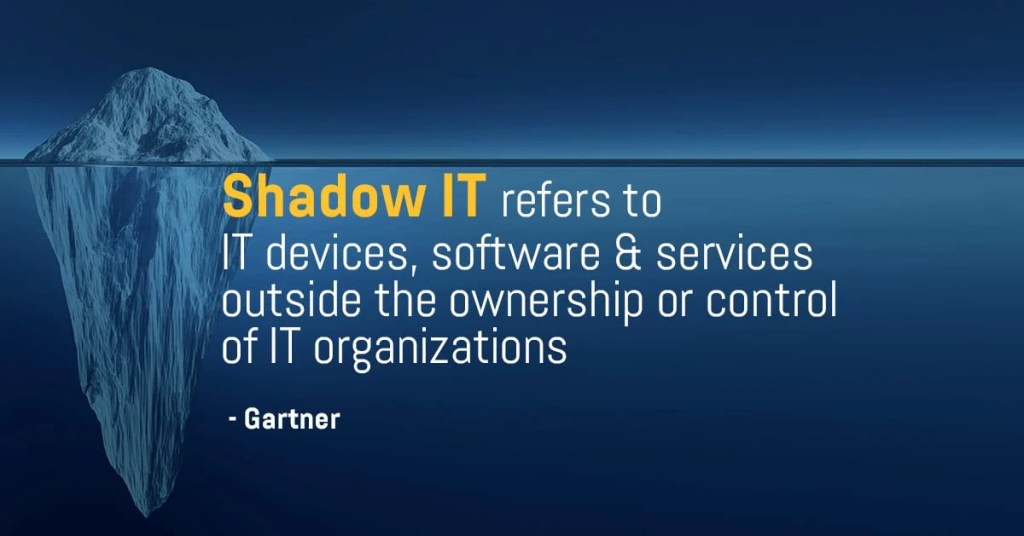
That’s Shadow IT, the silent, well-intentioned workaround that slowly turns into a security liability.

The issue isn’t carelessness; it’s the drive for efficiency.

The Anatomy of Shadow IT and How It Slips Through

Shadow IT doesn’t begin as an act of rebellion. It starts as a way to get things done.

Teams feel pressure, tools are slow, and company processes can’t keep up. So, someone tries a new tool that bends the rules, just for this one time.

That quick fix gets shared with others and soon becomes the usual way of doing this.

Before long, company data is moving through several tools that no one has officially approved:

  • Free cloud drives with no encryption.
  • Personal accounts are used for client data.
  • Messaging platforms without audit trails.
  • Chrome extensions quietly sync user info to external servers.

It’s not done out of malice; it’s just human nature. People pick what helps them get the job done. But each time we choose convenience over control, we lose sight of what’s happening.

Why Good People Go Rogue

Most shadow IT isn’t about breaking rules. It’s about finding better ways to work.

People want to do their jobs well. When approved systems slow them down, they look for alternatives. This creativity isn’t careless, but it can still be risky.

Most people don’t focus on compliance when facing a tight deadline. They focus on getting results.

Here’s the problem: attackers know this. They rely on busy teams taking shortcuts, creating unmonitored accounts, or storing data in places that go unnoticed.

Shadow IT doesn’t look like rule-breaking. It looks like taking initiative.

When Visibility Vanishes

Each unapproved app creates another potential risk.

Security teams can’t track data, fix vulnerabilities, or control access. Soon, they may not even know what needs protection.

If something goes wrong, you can’t protect what you can’t see. A hacked third-party app or a compromised account can quietly put the whole system at risk.

Shadow IT isn’t a single big mistake. It’s many small, hidden problems. By the time someone notices, it’s often too late to trace the cause.

Balance Control with Capability

The solution isn’t to make things stricter. It’s to make official tools easier to use.

Security should support people in their actual work, not just follow what policy says.

Here’s what helps:

  • Simplify the approved stack. If it’s painful to use, it’s already compromised.
  • Create a “request to innovate” process. Let employees suggest tools safely.
  • Shadow IT discovery audits. Not witch hunts — open conversations.
  • Default to transparency. Make it normal to say, “I’m testing this app” without fear.

The aim is partnership, not strict control. If security punishes creativity, people will just hide what they’re doing. Problems will still find a way through.

Building Trust Around Tools

You can’t get rid of Shadow IT by being strict. The only way is to build trust instead of secrecy.

If people think speaking up will get them in trouble, they’ll stay silent. But if they see it as a chance to work together, you’ll know what’s really happening.

The best workplaces see curiosity as a strength, not a risk. Security and innovation aren’t enemies; they work together toward the same goal.

Final Thought

Shadow IT isn’t caused by bad people. It happens when good intentions don’t fit with strict systems. For security to keep up with creativity, it needs to act as a guide, not just a gatekeeper.

That’s not being pessimistic. That’s reality and an opportunity to get better, together.

Security Without Pessimism: Why “Just One Click” Can Still Break Everything

The Myth of the Harmless Click
It’s late on a Friday afternoon. You’ve taken back-to-back phone calls, your inbox is overflowing, and your caffeine is slowly but surely fading. Then comes one last email. It’s something from HR about a new hire policy update.

You click, skim, and move on.

Five minutes later, that “harmless” click starts a slow-motion domino fall. Credentials harvested, tokens stolen, access expanding, all before you’ve even closed your laptop.

People think, “It was just one click.”
That’s the point. It only ever takes one.

The Domino Effect
Here’s what happens after that moment most people never see.

That fake login page doesn’t just steal your password, it grabs your session cookies, mimics your device fingerprint, and jumps the line of trust. Suddenly, it’s you logging in from a new location, sending a file, approving an invoice.

Once inside, attackers don’t move fast. They move quietly. They study your company like a playbook, structure, tone, and approval chains. The next email they send looks even more real because it’s built with your real data.

By the time anyone notices, the damage has often been done for days.

But why do we fall for it? The answer isn’t carelessness—it’s psychology.

The Psychology of the Click
No one falls for this because they’re careless. They fall because they’re human.

Attackers know when we don’t double-check: near quitting time, maybe when you’re experiencing that post-lunch carb crash, or when you’re in a rush to make that 9am meeting. All of those moments when we see what we expect to see. They don’t need to hack your brain, they simply nudge it the right way.

Speed, familiarity, and trust are their sharpest weapons, which is why “training” alone doesn’t solve the problem. Awareness isn’t a habit. The mind knows better, but the hand clicks first.

How Attackers Exploit Normalcy
Modern phishing doesn’t seem sketchy; it seems routine.

They copy internal phrasing, familiar names, work to perfect internal branding. The trick isn’t panic anymore, it’s comfort and familiarity.

Common triggers:

  • “Quick update before the weekend.”
  • “Need approval by end of day” or “close of business.”
  • “Can you confirm this invoice?”

Nothing dramatic. That’s the point. The hook isn’t fear, it’s familiarity.

How to Build a Click Buffer
You can’t eliminate every threat, but you can slow the chain reaction.

Build a Click Buffer. Think of it as a two-second pause that keeps good habits automatic:

  • Hover before you click. Make it reflex.
  • Check the sender domain. If it looks almost right, it’s wrong.
  • Stop treating “urgent” as a priority. Urgency is a tactic, not truth.
  • Ask IT. They’d rather you check 100 false alarms than clean up one breach.

A brief pause can equal a big payoff. Security starts with seconds, not software.

Culture Over Blame
Here’s where most companies stumble: they turn mistakes into shame. Someone clicks a bad link, and suddenly they’re the subject of the next slide in “staff security awareness training.”

That doesn’t build security, it builds silence.

A healthy culture rewards curiosity. If people feel safe saying, “Hey, I think I messed up,” the damage stops faster, every time.

You can’t stop every click. However, you can build a team that identifies, shares, and learns from mistakes before they spiral out of control.

Final Thought
The real security upgrade isn’t another tool or rule to apply, it’s simply learning to breathe and take a little extra time to pause before you click.

  • One breath before the click. One second to hover over the link.
  • One habit that keeps the rest intact.
  • That’s not fearmongering.
  • That’s just good hygiene.

If you found this helpful, please share it with your team or reflect on your own scanning and clicking habits. Security is a team effort and every small pause makes a difference.

Multi-Factor Authentication: Boring, Annoying, Essential

In cybersecurity, we get excited about new technologies like AI, zero trust, and quantum encryption. But ask any practitioner what quietly stops the most breaches day to day? It’s still MFA.

Multi-Factor Authentication may not be exciting. It can slow people down and sometimes feels awkward. Even so, it remains one of the best ways to stop credential theft, which is the most common way attackers get into any network.

Why MFA Matters

• Passwords are weak. People reuse them across accounts, attackers buy them on the dark web, and “123456” still shows up in breach data.
• Phishing is effective. Users still click links and enter credentials. MFA blocks stolen passwords from being enough.
• Attacks are automated. Bots hammer login pages at scale. MFA breaks that automation by forcing a second factor.

Despite everything we know, MFA is still the easiest and most effective step in cyber defense. It often makes the difference between stopping an incident and having to respond to one.

The Pushback Problem

When we first rolled out MFA our district, the resistance was loud.

“It’s annoying.”
“It slows us down.”
“We don’t have time for that.”
“Why do I need this if I’m just checking email?”

At first, security changes can feel like a big hassle for everyone, whether you’re a teacher, technician, or leader. But a few seconds of extra effort can save us from days or even weeks of problems.

To make sure everyone accepted MFA, we took our time and built support step by step:

• Continuous staff education. Regular updates explained the “why” behind MFA, not just the “how.”
• Knowledge-base articles gave our help desk a clear playbook, no scrambling when someone was locked out or confused.
• Anticipating questions became part of the rollout strategy. From custodians logging into shared workstations to the superintendent approving district-wide communications, everyone got personalized guidance.

We kept the message clear: MFA is not a burden. It’s part of how we protect our entire staff and precious student PII, and PHI data. We aways have to remain FERPA, COPPA, CIPA, and PPRA compliant.

Over time, the complaints faded. Now, using MFA is second nature. It’s simply part of our routine.

The Fix

• Enforce MFA on all critical systems.
• Use phishing-resistant methods (authenticator apps, hardware keys) and worst-case scenario SMS.
• Train users that a few extra seconds of friction is the cost of resilience.

The Parallel

Using MFA is similar to wrapping your hands before boxing. It might seem tedious when you’re just getting started, but it protects you. If you skip it once, you might be fine, but skip it again, and you risk real trouble.

Security, like weightlifting, CrossFit, martial arts or meal prep it works best when the basics become instinct.

Again, MFA is boring. But, it’s also one of the most powerful shields you have.

Forty Point Two

3, 2, 1 get some!

Five weeks ago, I pulled a 41.3-second 250 meter row. Today, I hit 40.2. Just over a second faster.

Most wouldn’t notice the difference, but if you’ve ever chased improvement in anything, lifting, rowing, writing, or career-related, you know what that second really means.

It’s not one test. It’s everything between the test and the retest.

Early mornings. Late nights. Lifting after focusing on a screen all day, securing cloud configs, writing incident reports, and drafting security policies. Endless meetings, collaborating with stakeholders, or staying disciplined enough to meal prep when convenience is whispering your name.

The first test showed where I was. The weeks that followed demonstrated what I was willing to do to get a little bit better every day.

That one second didn’t come from luck. It came from honesty. From taking stock of where my form slipped when fatigue hit, where breathing got shallow, where my leg drive gave too early, and where comfort started whispering, “Hey man, you’ve done enough.”

It came from the same place real growth always hides: the re-tests, not the first runs. Every domain follows the same law: test, learn, refine, retest. That’s how systems harden. That’s how people do, too.

The next time you test something, whether it’s a lift, a sprint, IAM permissions, or a personal limit, remember this: progress rarely looks dramatic as it happens. It might seem minor, but the one second I cut over five weeks shows the value of steady effort. Others might have said, “Hey man, that 41.3 is pretty damn good for a man your age.” For me, that will never be enough.

What “the science” says:

  • Power output was 673 Watts
  • VO2 Max is 68.5 ml/kg/min
  • Faster than 95% of male rowers your age
  • 89% faster than all male rowers

No matter what, 41.3 → 40.2 is proof that attention to detail and small improvements over time are earned, never issued, and that’s the real story.

Strength & Resilience: Why Chaos Is the Real Teacher

henry rollins matt shannon cloud security
The Iron Never Lies — Henry Rollins

Overreach Is the Enemy of Resilience

yalta imperial over reach

History shows that the biggest threats to national security, safety, and sovereignty usually come from within. Empires, and leaders, often fail not because they are weak, but because they try to do too much, too quickly, and often end up heading in the wrong direction.

The Yalta Conference in February 1945 brought together Churchill, Roosevelt, and Stalin in an alliance of necessity. Few in the 1930s could have imagined democratic America and Britain siding with Stalin’s Soviet Union; yet necessity led to a partnership with lasting consequences.

The alliance beat Nazi Germany, but it also allowed the Soviet Union to spread into Eastern Europe, which led to the Cold War. The key takeaway: short-term use of power without considering long-term impact can resolve immediate issues but create new, lasting problems.

The same risks are present in cloud security today. Trying to do too much still undermines resilience.

Why Overreach Happens

Overreach is a common trap. If having some power is good, it’s easy to think that having more is better. In cybersecurity, this often happens because of:

  • Fear of falling behind leads teams to adopt new tools without a clear strategy.
  • Vendor pressure, with marketing insisting, “If you don’t have this, you’re insecure.”
  • Internal signaling, where having numerous tools initially appears impressive, but problems soon emerge.

Historical Lessons: The Cost of Overreach

Germany in WWII: Too Much, Too Fast

Germany under Hitler is a classic example of overreach. In 1941, the Nazis invaded the Soviet Union. Initially, their advance was rapid, and they gained significant territory. However, German forces became overstretched, supplies dwindled, winter conditions set in, and the supply lines became unmanageable. What appeared to be a demonstration of power ultimately contributed to their downfall.

Lesson: Expansion without capacity undermines itself.

Japan: Provoking Too Many Enemies

Japan’s decision to attack Pearl Harbor in 1941 reflected a similar flaw. In pursuit of empire across Asia, Japan provoked a much larger adversary: the United States. Instead of consolidating its position, this overreach led to a conflict Japan could not sustain. Lesson: Overreaching creates adversaries you can’t manage.

The Allies: Yalta’s Unintended Consequences

Even the victors faced challenges. The Yalta alliance was necessary at the time, but also carried significant risk. By permitting the Soviet Union to expand into Eastern Europe, the Allies set the stage for forty years of Cold War tension, arms races, and indirect conflicts. Gaining power in one region led to new risks elsewhere.

Lesson: Gains made without foresight can create future vulnerabilities.

The Cost of Overreach in Cloud Security

The same dynamics play out in modern cybersecurity:

The Better Path: Discipline and Restraint

Want to dive deeper into the history and strategy behind these lessons? Here are some recommended reads:

  • Churchill, Hitler, and “The Unnecessary War”: How Britain Lost Its Empire and the West Lost the World, by Patrick J. Buchanan
  • The New Dealers’ War: Franklin D. Roosevelt and the War Within World War II, by Thomas Fleming

Cloud Security and Meal Prep: The Routine That Saves You When It Counts

Whether you’re a cloud engineer, a school IT lead, or just someone juggling a lot of responsibilities, you know routines matter. Here’s how a few simple habits, both in the kitchen and in the cloud, can make all the difference when things get hectic.

Meal prep can feel like a grind: chopping, portioning, stacking containers into neat rows. Yet when a demanding week hits, that fridge full of ready-made meals is your quiet victory. It’s proof that routine pays off when pressure arrives.

Vulnerability scanning and patching works similarly. It’s repetitive, rarely celebrated, and usually annoying. But consistency is what saves you during mission-critical moments, when vulnerabilities surface or threat actors strike.

The Problem with Patching

Patching never ends. There’s always another round of updates, another CVE, another “critical” bulletin. The challenge isn’t just time, it’s motivation.

  • It’s endless. You finish one cycle only to start another.
  • It’s invisible. No one notices the breach that never happened.
  • It’s easy to delay. “We’ll patch later” often becomes “we wish we had.”

In cloud environments, the pace is faster. Systems scale dynamically, microservices update constantly, and the attack surface grows by the minute. Skipping one patch cycle is like skipping a week of prep: you won’t feel it right away, but the fallout is inevitable.

The Solution: Treat It Like Meal Prep

The way through is rhythm and habit, small, consistent actions that compound into resilience.

  • Automate Where Possible
    Just like batch cooking, automation saves time and reduces errors. Use tools like AWS Systems Manager Patch Manager, Azure Update Management, or Google Cloud OS Config to deploy updates automatically across fleets. Automate notifications and reporting as well, so visibility remains high without incurring manual overhead.

Pro tip: If you’re new to automation, start small by piloting auto-patching in a test environment before rolling it out everywhere.

  • Schedule Cycles and Stick to Them
    Create predictable patch windows: weekly for endpoints, monthly for servers, rolling updates for cloud workloads. Align these cycles with CI/CD pipelines to ensure updates integrate seamlessly with development. Repetition builds trust in the process and limits downtime surprises.
  • Make It a Habit
    The goal isn’t to be a hero, but to be consistent. Prep your meals each week, patch your systems on schedule, and review your process every month. Eventually, these steps just become part of your routine.

The Payoff: Prepared Beats Panicked

When a zero-day hits, the teams that patch regularly move smoothly through the chaos. Their systems are up to date, their dependencies are tracked, and their processes are tested. The rest scramble for emergency fixes while downtime bleeds into dollars.

Routine patching does more than fix vulnerabilities. It helps you stay calm when things get stressful. This steady discipline keeps your operations running smoothly, even when others are scrambling.

Persistence Beats Perfection

Chasing perfection can be tempting. It makes us believe that if we get everything exactly right, like following a flawless training plan or a perfect patch cycle, we’ll be safe from risks or mistakes. But perfection is fragile. One mistake or setback, and it falls apart. That’s when persistence matters most.

Persistence, on the other hand, is unbreakable and endures where perfection falters.

Anyone who’s trained in martial arts or strength sports knows some days you set PRs, some days you don’t. Some days you win; other days, you learn. The outcome of a single session doesn’t matter; what counts is that you keep showing up.

Cybersecurity runs on the same principle. Rather than expecting flawless results, it relies on the daily commitment, running scans, monitoring logs, and applying updates, which builds resilience over time.

Why Perfection Fails

  • Unrealistic expectations: Nobody patches everything at once. Expecting to do so leads to burnout.
  • Procrastination: Waiting until you can do it “perfectly” means it never gets done.
  • Fragility: Perfection breaks under stress; persistence adapts.

Why Persistence Wins

  • Consistency compounds. One small patch today, another tomorrow, adds up to systemic strength.
  • Resilience under pressure. When incidents occur, teams that have developed daily habits respond more quickly.
  • Adaptability. Persistence isn’t rigid; it bends, adjusts, and continues forward.

The Martial Arts Parallel

Martial artists don’t achieve mastery through perfection. They drill basics until instinctive, spar, fail, and adapt. Each session is about persistence; the discipline of returning to the mat, working on strikes, footwork, counter-wrestling, etc, etc.

Cybersecurity professionals must do the same. Drill, repeat, refine, and drill some more. That way, when the attacks come, your persistence in training wins the day.

Closing Thought:
Persistence, not perfection, is the key to success. Perfection is unattainable, persistence ensures progress, and tangible results.

Top 5 Cybersecurity Mistakes I See Every Week (and How to Fix Them)

1. Weak or Reused Passwords

mike epps, top flight security, friday after next

The problem: People still lean on “123456” or reuse the same password across 10 accounts. Attackers love this.
The fix: Use a password manager and enable multi-factor authentication (MFA) everywhere it’s offered.

2. Ignoring Updates and Patches

The problem: That little “remind me later” button gets clicked… and suddenly, a known vulnerability is wide open for weeks.

The fix: Automate updates where possible. For servers and enterprise systems, schedule a patch management routine — monthly at minimum.

3. Cloud Misconfigurations

the breakdowns can be voluminous

The problem: Buckets, blobs, and databases left wide open to the internet. It’s not just bad practice — it’s a breach waiting to happen.
The fix: Review permissions regularly. Use least privilege access. Run configuration scans against frameworks like CIS Benchmarks.

4. Phishing Clicks

who's got your six? matt shannon security pro

The problem: A single click on a fake invoice or “urgent” email can compromise a network. It still works because people are busy and distracted.
The fix: Train employees continuously, not just once a year. Teach them to hover over links, verify senders, and report suspicious emails.

5. Lack of Logging and Monitoring

The problem: Breaches often go undetected for weeks because no one’s watching the logs.
The fix: Centralize your logging (think SIEM, EDR, or even cloud-native tools) and set alerts for suspicious activity. Logs don’t stop attacks — but they stop you from being blind.

Closing Thoughts